
The Importance of Clearly Written Changelogs
Even though we read the changelogs for every Formidable release, the individual line items don't always sink in, and sometimes, their implications can be more far-ranging than expected. For example, this line in the v6.4.2 changelog says:
New: Front end icons have been updated to no longer use font icons, significantly reducing the amount of data required when loading a form.
Formidable v6.4.2 changelog
What it doesn't say is that the change applies to Star Rating fields, if you are using them with Formidable Pro. I found out quite by accident today when I visited the Developers Directory search page and saw the developer price range field displaying both our custom price range symbols AND the default star.
We fixed it with CSS only, but learned Formidable Pro v6.4.2 changed the way Star Rating fields are built and it's one of the impacted items in the changelog note quoted above.
The Developers Directory uses $ symbols to replace the stars in the field. We use FontAwesome icons. Before v6.4.2, Formidable used the input field’s "before" pseudo element to display the stars. All that was required was a simple change of CSS to modify the display. Now, the code loads multiple .svg files into the label wrapper through functions added to the FrmProAppHelper class in v6.4.2. As a result, Formidable no longer uses the "before" pseudo element.
If you've customized the display of your Star Rating fields to show a character other than the default star using the "before" pseudo element, the CSS to hide Formidable's .svgs is below. Thanks to Formidable's consistent, high quality coding, the CSS work around should function universally for input forms.
Customize Star Rating Field Before v6.4.2
Here's the CSS we use to display $ symbols instead of stars:
The CSS can be inserted into the form's Before Fields section on the Customize HTML page.
Heads-up About Views
Views display star rating fields differently than they are displayed on forms. The above code works with the input forms only. View customization code is TBD and will be posted here when developed.
Customize Star Rating Field After v6.4.2
Buy the Customize Star Rating Field Add-on and Get Pizazzed
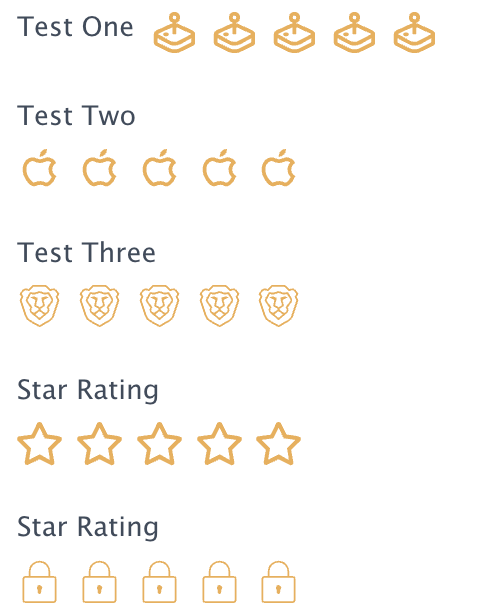
Customizing the Star Rating field with your own symbols after v.6.4.2 is much easier thanks to the talented developers of Jones Web Designs, the author of the Star Rating Customization add-on available in the Masterminds Store.
Have you ever wanted to change the icon for the star rating field to something more your style? This addon will allow you to do just that. Simply install the plugin, head over to your form, add the star rating field, click advanced and follow the directions in adding the custom SVG Codes. Once it's done, on the frontend of your site, you will see your new ICONS! Enjoy!


Leave a Reply