
How to prepare enterprise clients for go-live.
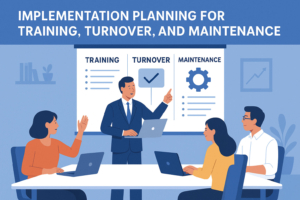
When an enterprise WordPress application nears completion, the temptation is to celebrate the development milestones and press "go-live." But implementation isn't just the finish line—it's the beginning of your application’s life in the wild. For enterprise-grade solutions built with WordPress and tools like Formidable Forms, careful implementation planning is essential to long-term success.
This article outlines how to prepare enterprise clients for go-live with structured training, a clear turnover process, and robust maintenance planning.
1. Training: Ensuring Operational Readiness
Start With User-Centered Training Artifacts
Enterprise users range from front-line staff entering form data to executives pulling reports. Your training materials should include:
- Role-specific guides: Tailor documents to administrators, contributors, approvers, etc.
- Formidable Forms walkthroughs: Step-by-step tutorials for creating entries, managing workflows, and interpreting views.
- Video recordings: Short screencasts can demystify complex backend processes.
- Knowledge base articles: Centralize answers to FAQs and link directly to WordPress dashboards or Formidable views.
Deliver Training Sessions
Schedule formal training sessions with the client, including:
- Admin training: How to add users, manage permissions, restore backups, and edit Views.
- End-user training: How to complete workflows, enter data, and receive notifications.
- Q&A sessions: Leave space for real-time clarification.
Live sessions can be recorded for reuse as internal documentation.
2. Turnover: Defining Support Boundaries
Document the System
Before handoff, deliver a formal system turnover packet that includes:
- Architecture overview: CPTs, taxonomies, Formidable forms, views, actions, and workflows.
- Configuration files: Exported form settings, View templates, and custom hooks.
- Change log: All custom code, plugin modifications, and design choices.
- Hosting environment details: Server setup, caching, CDN, and deployment instructions.
Assign Ownership
Define responsibilities between your team and the client’s internal resources:
- Who will approve future changes?
- Who can access admin vs. contributor roles?
- Who maintains backups and recovery plans?
Make these expectations explicit.
3. Maintenance: Planning for Post-Go-Live Support
Draft a Service Level Agreement (SLA)
Enterprise clients expect uptime, responsiveness, and continuity. A strong SLA outlines:
- Support hours: e.g., 9am–5pm EST, Mon–Fri.
- Response times: Critical issues within 4 hours; non-critical within 1 business day.
- Update policy: Frequency of WordPress core, plugin, and theme updates.
- Monitoring: Uptime, performance, and security audits.
Tailor your SLA based on client needs and budget.
Plan for Plugin and Workflow Updates
Formidable-powered systems depend on complex logic. Breakdowns often happen after plugin or core updates. Include:
- Staging environments: Use a clone of production for testing changes.
- Regression testing scripts: Check every critical path after updates—form submissions, approvals, email notifications, and dashboard reporting.
- Change request process: Clients should understand how to submit feature updates or bug reports.
Conclusion: Implementation is a Lifecycle Milestone
Go-live is not the end—it’s the start of sustained engagement. By delivering tailored training, structured turnover, and a thoughtful maintenance plan, you build trust and stability into your WordPress-based enterprise solution. With tools like Formidable Forms at the core, the complexity and power of the system must be matched by an equally robust approach to implementation.
Artifacts
WordPress Implementation Checklist
Pre-Go-Live
- Admin users created with correct roles
- Formidable forms tested for all user roles
- Approval workflows tested end-to-end
- Views reviewed and verified for accuracy
- Backup system enabled and tested
- Training sessions scheduled and recorded
Documentation Delivered
- User guides (Admins / Editors / End Users)
- System architecture diagram
- Formidable form settings exports
- Hosting credentials (if applicable)
- Change log and custom code index
Maintenance Plan
- SLA signed and stored
- Update schedule agreed upon
- Contact list for support escalation
- Staging environment access confirmed
- Regression testing plan documented
Sample SLA Template
Service Provider: [Your Company Name]
Client: [Client Organization Name]
Service: WordPress Maintenance and Support (Formidable-powered)

Support Availability: Mon–Fri, 9:00am–5:00pm EST
Contact Method: [email or ticketing system]

Response Times:
- Critical Issues (site down, forms failing): 4 business hours
- High Priority (workflow broken): 1 business day
- General Inquiries or Feature Requests: 2–3 business days

Included Maintenance:
- WordPress core updates (monthly)
- Plugin/theme updates (twice monthly or as needed)
- Uptime monitoring (24/7)
- Bugfixes for custom code (within scope)

Out-of-Scope Services:
- New feature development
- Major design overhauls
- 3rd-party plugin compatibility issues (unless otherwise stated)

Billing & Terms:
- Monthly retainer: $[amount]
- Emergency support (off-hours): $[rate]/hour
- Termination: 30-day written notice from either party
Leave a Reply