
A Primer for Enterprise-Grade Projects
If you've been building custom applications with WordPress—especially using Formidable Forms—you’ve probably tackled features like dynamic forms, conditional logic, or complex data relationships. But there’s one powerful pattern that elevates your solution to true enterprise-grade: the workflow approval system.
What Is a Workflow Approval System?
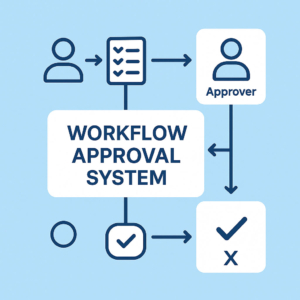
A Workflow Approval System automates how submissions are reviewed, approved, or rejected—whether it’s leave requests, purchase orders, onboarding forms, or publishing content. Instead of relying on email threads or manually updated spreadsheets, a structured workflow routes each submission through a series of steps, complete with permissions, notifications, and tracking.
For developers used to thinking in terms of forms and CPTs, think of it as a logic engine that sits above your forms—governing what happens after a submission is made.
Key Components of a Workflow Engine
Let’s break down the major pieces:
- Submission Trigger
A user completes a form—this kicks off a workflow instance behind the scenes. - Routing Rules
Based on form values, user roles, or conditions, the submission is assigned to the correct reviewer(s). - Approval Layer
Approvers are notified via dashboard, email, or both. They can approve, reject, or request changes—each decision advancing the workflow to the next state. - State Tracking
The system maintains a live status (Pending, Approved, Rejected, etc.), so users and admins always know what stage the request is in. - Audit Log & Escalation
All actions are logged for traceability, with automatic reminders and escalation paths for timeouts or bottlenecks.
Why This Matters for Enterprise WordPress Development
Many enterprise clients expect complex business processes to be digitized—and WordPress developers are increasingly asked to deliver them. A workflow engine helps you:
- Translate real-world approval hierarchies into structured digital flows
- Reduce back-and-forth emails and manual tracking
- Build applications that scale across departments and teams
- Centralize all decision-making in a secure and traceable way
Building It with Formidable Forms
Formidable Forms already gives you the structure: repeaters, dynamic field relationships, user-role logic, and custom post integration. But by layering on a custom workflow engine, you create a foundation for truly enterprise-level applications.
Here’s how Formidable fits in:
- Form entries become workflow instances
- Views act as dynamic dashboards for users and approvers
- Hooks and filters manage state transitions, role-based access, and branching logic
- Custom meta fields store workflow status and decision timestamps
- Webhooks or REST APIs integrate it with Slack, CRMs, or other third-party systems
With Formidable Forms and a lightweight approval engine, you can build robust internal tools—like grant management platforms, editorial pipelines, or HR systems—without reaching for external SaaS.
Final Thoughts
If you’ve never built a workflow approval system before, this is your signal to explore it. The architecture is straightforward, the impact is massive, and it’s a natural fit for serious Formidable Forms development.

Leave a Reply