
- Applying Proven QA Practices to WordPress and Formidable Forms Development
- Why QA Matters in No-Code Projects
- Core QA Models Adapted for No-Code Workflows
- User Acceptance Testing (UAT) for WordPress Projects
- Documentation: The Unsung Hero of QA
- Summary: QA is Your Project’s Insurance Policy
- Key Takeaways
Applying Proven QA Practices to WordPress and Formidable Forms Development
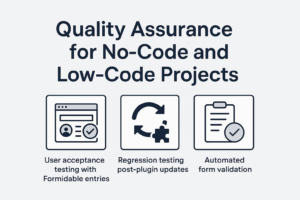
No-code and low-code platforms like WordPress have revolutionized how software is developed. With tools like Formidable Forms, complex applications can be built without traditional coding. But as these projects scale and move into production—especially in enterprise or client-facing environments—quality assurance (QA) becomes mission-critical.
This article introduces essential QA models adapted from the Software Development Life Cycle (SDLC) and demonstrates how WordPress developers and site builders can implement practical QA practices in their no-code and low-code projects. Whether you're managing a directory site, a custom CRM, or a workflow system built with Formidable Forms, these techniques will help ensure your application works reliably and meets user expectations.
Why QA Matters in No-Code Projects
No-code/low-code platforms empower non-programmers to build powerful systems, but they also introduce risks:
- Misconfigured plugins or settings can lead to data loss or security vulnerabilities.
- A single plugin update can break critical functionality.
- Changes made through the WordPress admin may bypass version control and peer review.
QA bridges the gap between rapid development and long-term reliability. It provides a structured approach to verify that what was built meets the intended requirements—before the user finds a problem.
Core QA Models Adapted for No-Code Workflows
From the SDLC, several models provide guidance for ensuring quality throughout a project’s lifecycle. Here’s how they translate into the world of WordPress and Formidable Forms:
1. Verification vs. Validation
- Verification asks: "Did we build the system right?"
This means checking that your WordPress setup, form logic, user roles, and permissions are configured correctly. - Validation asks: "Did we build the right system?"
Here, you test whether the system actually solves the user’s problem. This is often done through user acceptance testing (UAT).
Example:
You create a Formidable Form for employees to submit vacation requests.
- Verification: Are conditional logic rules firing correctly? Does the email action trigger as expected?
- Validation: Does the employee actually feel the process is intuitive and fair? Is the form capturing what HR needs to make a decision?
2. The V-Model: Aligning Development with Testing
The V-Model emphasizes that for every phase of development, there should be a corresponding QA activity.
| Development Phase | Corresponding QA Task |
|---|---|
| Requirements gathering | User acceptance criteria |
| Form design & logic | Test cases for field validation |
| View or shortcode layout | Visual review on multiple devices |
| Plugin installation | Plugin compatibility testing |
How to apply it:
Each time you build a new Formidable Form:
- Draft expected outcomes (“The user should be redirected to a confirmation page and receive a summary email.”)
- Create a test checklist to confirm each behavior after publishing the form.
3. Regression Testing: Defending Against Updates
In WordPress, plugin and theme updates happen frequently. Even minor updates can introduce bugs. Regression testing ensures that after updates, previously working functionality still behaves as expected.
Example:
Your custom Formidable-based workflow includes a series of logic-based email notifications and a dashboard View. After updating Formidable Forms:
- Visit test pages.
- Submit test entries.
- Confirm that email notifications, Views, and form entries are still behaving as before.
Tip: Maintain a changelog and set up a staging site for plugin testing before pushing updates live.
4. Automated Testing in a Low-Code World
While traditional automated testing tools (like PHPUnit or Selenium) aren’t always feasible in no-code environments, some automation can still help:
Techniques:
- Use Formidable Form’s built-in validation to enforce required fields and conditional logic.
- Install a visual regression plugin like WP Boom or WP Diff to detect changes after updates.
- Use automation tools like WP All Import with CSVs to test bulk data imports into Forms and CPTs.
- Leverage Zapier or Uncanny Automator to simulate real-world entry flows.
User Acceptance Testing (UAT) for WordPress Projects
UAT is especially important when delivering WordPress applications to clients. Here's how to run an effective UAT cycle:
1. Create a Test Plan
Define key actions the user should be able to perform:
- “Submit an application”
- “View status of previous submissions”
- “Receive an email with a tracking number”
2. Provide a Checklist
Build a checklist that reflects user goals. This is not a technical list—it’s a user-facing validation document.
3. Capture Feedback
Use feedback forms or session recordings (e.g., Hotjar) to understand user friction.
Documentation: The Unsung Hero of QA
Don’t overlook documentation. Even in a no-code project, documenting your form setup, entry logic, and post-update test steps can serve as:
- A QA baseline
- A knowledge transfer tool
- A disaster recovery asset
Tip: For each form, create a simple Markdown or Google Doc file with:
- Field IDs and their purpose
- Conditional logic rules
- Actions triggered
- UAT checklist
Summary: QA is Your Project’s Insurance Policy
As no-code and low-code projects mature, the expectations for reliability and maintainability increase. By adapting time-tested QA models to your WordPress and Formidable Forms workflow, you’re not just building faster—you’re building better.
Whether you’re working solo or on a team, incorporating testing into your project lifecycle will set you apart as a serious developer who builds enterprise-grade systems—even without writing a single line of PHP.
Key Takeaways
- Verification and Validation ensure you're building the system correctly and building the right system.
- The V-Model maps planning and testing activities to every development stage.
- Regression testing protects your system from plugin/theme update surprises.
- User Acceptance Testing lets clients validate that the system meets their needs.
- Even low-code environments benefit from automated and semi-automated QA workflows.

Leave a Reply