
FF Audit Trail
The FF Audit Trail add-on provides a complete history of all changes made to your Formidable Forms entries. Track who modified what, when, and why. Whether you’re managing sensitive data, ensuring compliance, or troubleshooting user input errors, this add-on provides full transparency. Essential for businesses, membership sites, and workflow automation!
- Logs all entry modifications, including timestamps and user details
- Supports GDPR & compliance needs by maintaining a history of data changes
- Provides rollback functionality to restore previous data versions
- Compatible with multi-user environments, perfect for teams & organizations
Entry Tracking
"Have you ever needed to track changes to your form entries but had no way to see what was modified? The FF Audit Trail add-on solves this problem by logging every change automatically."
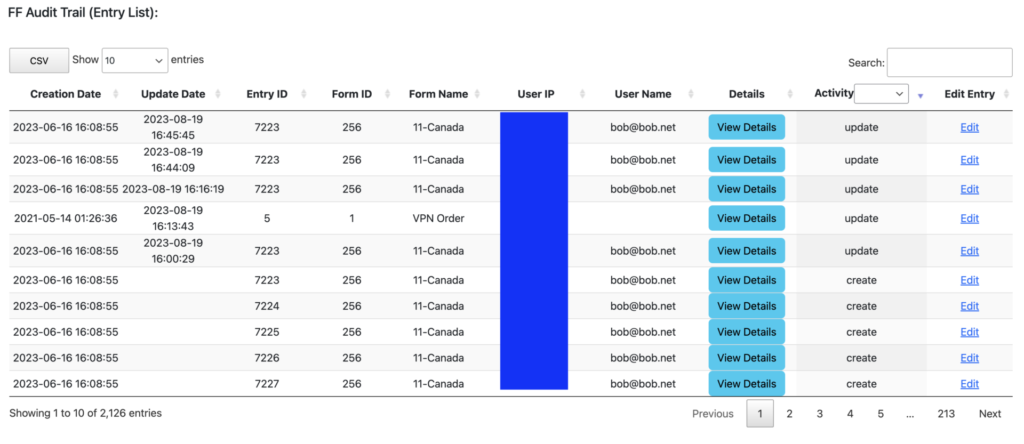
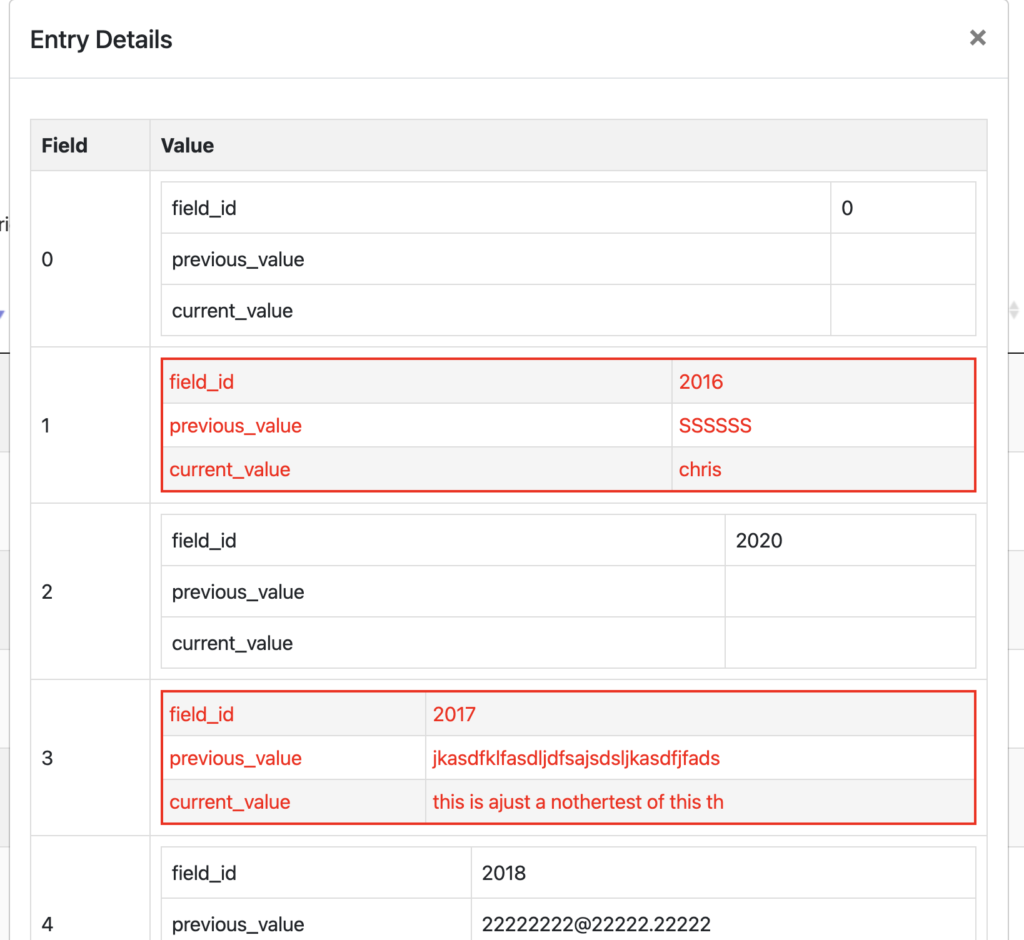
- The creation, updating, and deletion of each entry is tracked. As the status of the entry changes a new row is added to the table.
- If the status of the entry is updated, the user will see all fields within the entry by clicking View Details, and the changed content will show highlighted in red.
- The contents of the Detail View can be saved as a PDF for the purposes of providing a copy of the change without having to provide access to the backend of your website.
- There is a direct link to the entry from the table if the entry hasn’t been deleted.
Form Action Tracking

- The creation, updating, and deletion of all form actions associated to a form.
Form Tracking
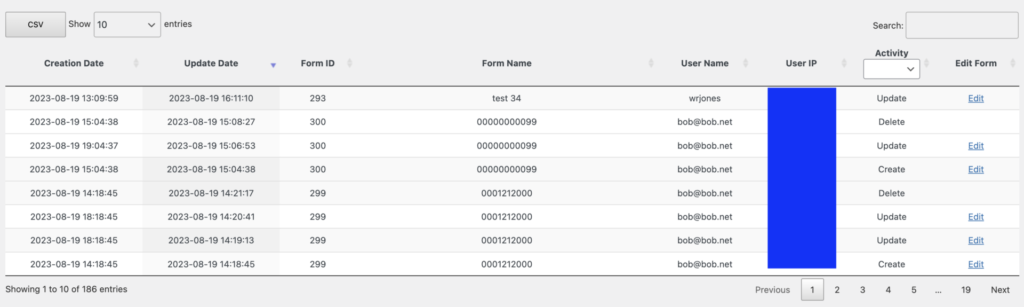
- The creation, updating, and deleting of forms are tracked.
***Formidable Forms does not track the adding, updating or deleting of individual forms fields within the database, so this information will not show in the form tables of FF Audit Trail.***
***When you first activate this plugin, depending on how large your FF tables are, it can take some time to process. It is also important that you have a max execution time on your server that is representative of the time it may take to load initially. I recommend 600 for your max execution time.***
***This is not designed to be used for WordPress Multi-Site***
You must log in to submit a review.
Leave a Reply